Getting started
Welcome to PhpThunder, a PHP language server, debugger, and workflow extension for VS Code. This quick start covers the shortest path from installation to the first useful result.
What is needed
| Requirement | Why it matters |
|---|---|
| VS Code | The extension host |
| A PHP binary | Required for debugging, tests, profiling, and Composer tasks |
| Xdebug | Required for debugging and profiling |
| Composer | Required when the project uses vendor/ packages or autoloading |
Code intelligence, diagnostics, and formatting work as soon as the extension activates. A fully configured PHP binary is not required for the first scan.
First run
Follow these steps the first time a PHP project is opened with PhpThunder:
- Install the extension from the VS Code marketplace.
- Open the project folder that contains the PHP sources.
- Run
PhpThunder: Select PHP Versionand choose the version the project targets. - Run
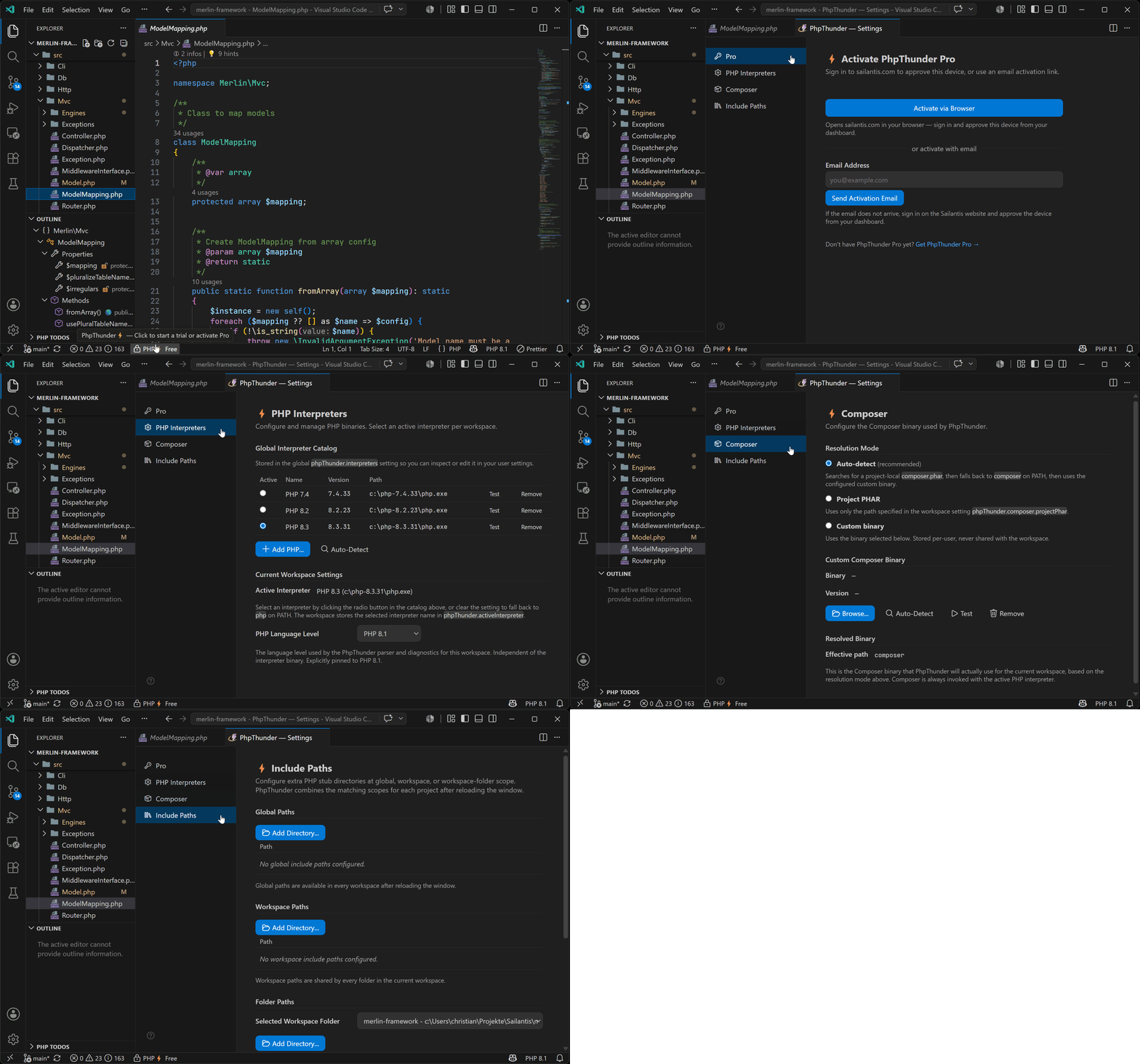
PhpThunder: Configure PHP Interpreterswhen a specific PHP binary is needed. If the systemphpis already correct, this step can wait. - Open a PHP file and let the initial scan finish.
- Run
PhpThunder: Reindex Workspaceif you encounter issues after making changes via Composer, or regarding include path settings or the workspace structure in general.
Tip: When the project uses Composer, run
composer installbefore opening the folder sovendor/symbols are available from the first scan.
What should appear
Once the initial index is complete, the editor should show:
- Completion for classes, functions, constants, members, imported namespaces, and PHPDoc-backed types such as templates, array shapes, aliases, and callback parameters
- Hover documentation for symbols and inferred types, including PHPDoc from dependencies and higher-order callback inference
- Diagnostics for syntax errors, type mismatches, array-shape key issues, and selected PHPDoc issues
- Import assistance that suggests and inserts
usestatements for unresolved short names - Test Explorer entries when PHPUnit or Pest tests exist in the standard locations
- Todo treeview that displays project-specific Todo items and related quick actions
- A status-bar entry showing the current access state (Free, Trial, or Pro)
Commands worth memorizing
PhpThunder: Select PHP Version— sets the language level for the current folderPhpThunder: Configure PHP Interpreters— adds and manages PHP binariesPhpThunder: Reindex Workspace— rebuilds the project index after structural changes
For the detailed setup path, including Composer, include paths, and licensing, see Installation and activation.
When to reindex
Run PhpThunder: Reindex Workspace when the project structure changes in ways that the extension is unable to detect automatically. For example, when running composer install or composer update for long-running operations, or when moving or renaming a large number of files outside the editor. Most changes are picked up automatically. You can also reopen the VS Code window to trigger a reindex.
Next steps
- Installation and activation — detailed workspace setup and activation
- Editor features — day-to-day editing workflows in detail
- Debugging — Xdebug setup and launch configurations